Disclosure: This article contains an Amazon affiliate link. As an Amazon Associate I earn from qualifying purchases.
You get to the gym with 45 minutes to train, then spend the first ten deciding what to do. Before paying for another workout app, it helps to know which part of that problem you actually need it to solve. This is where strength training apps can be particularly useful.
Some apps keep a training log. Others choose your workouts and recommend changes. A few connect you with a human coach. Those are different services, with very different prices.
I’ve put this comparison together for the independent beginner who knows the basic exercises but wants more structure. If you are still putting your routine together, my complete guide to muscle building covers training, food, and recovery. You’ll find 15 options, what each offers, and what I would check before subscribing.
With numerous strength training apps available, finding the right one can enhance your workout experience and efficiency.
How this comparison was prepared: This is a research-based comparison of official product pages, help documents, and developer app-store listings for strength training apps, not a hands-on test of all 15 apps. Features and prices were checked on October 28, 2026. Listed prices are in US dollars; your location, platform, and checkout offer may differ.
Compare the apps at a glance.
“Free download” does not necessarily mean free workouts. A trial can also renew into a paid subscription. Where the public information did not present a clear current price, I’ve said so.
| App | Worth considering for | Free access | Paid pricing checked |
|---|---|---|---|
| Fitbod | Automated workout planning | 7-day trial | $15.99/month or $95.99/year |
| Caliber | Logging, with optional coaching | Free logging tier | Plus and coaching priced separately; check offer |
| SHRED | Guided training and variety | Limited free tier | $19.99/month or $119.99/year |
| Dr. Muscle | Automated progression | Free plan advertised | Website lists $49/month or $389/year; store offers differ |
| MyFitCoach | Training and nutrition targets | Free download; subscription required | US Apple listing includes $9.99/month; annual offers vary |
| Muscle Booster | Home and gym guidance | Free download; trial may be offered | Multiple subscription offers; check checkout |
| Gymverse | Multiweek training plans | 7-day trial advertised | Current price not confirmed |
| Muscle & Motion: Strength | Exercise anatomy and instruction | Sample content | Current Strength subscription price not confirmed |
| Element 26 Tr[Ai]ner | Customized strength plans | Free starting option | US Apple listing: $14.99/month or $119.99/year |
| Future Pro | A dedicated human coach | Paid introductory offer, not a free plan | $199/month; longer commitments available |
| JuggernautAI | Powerlifting and powerbuilding | 2-week trial | $34.99/month or $349.99/year |
| Build Muscle Strength Training | Following a prepared program | Free download; in-app purchases | Current plan price not confirmed |
| Muscle Building Workout Split | A ready-made lifting split | Free four-day plan advertised | Additional in-app purchases; check listing |
| Fitness Coach by Luni | Guided general fitness | Trials listed on selected plans | Multiple offers; check checkout |
| Centr | Strength plus broader fitness | 7-day trial advertised | $29.99/month or $159.99/year on its public subscription page |

1. Fitbod: For help deciding what to train
Fitbod builds workouts around your goals, available equipment, and training history. That makes it worth considering if you want to open an app and see a proposed session rather than assemble one yourself.
Its recommendations use the information you enter. Log your actual sets and reps, including changes you make during the workout, so your history reflects what you did.
Useful feature: Equipment-based workout planning for different training setups.
Check before paying: Try changing an exercise and reviewing previous sessions. Make sure those everyday tasks suit you. Its recovery estimates are software-based, not the result of a physical assessment.
Check Fitbod’s subscription details.
2. Caliber: For logging now and considering coaching later
Caliber separates workout logging from paid upgrades and coaching. Its free tier lets you create and record workouts; Plus adds features such as its coach-designed plan library.
Premium is a different purchase: one-to-one coaching with individualized programming, messaging, and video form review. Don’t assume those services come with the free app or a Plus subscription.
Useful feature: You can start with a log without immediately paying for coaching.
Check before paying: Compare the exact tier you are considering. If you already have a suitable routine, the free logging tools may cover your immediate needs. If you need someone to review your training, consider the coaching service.
3. SHRED: For guided workouts with room for variety
SHRED combines guided workouts with personalized training options for different equipment and goals. It could suit you if following a session is more appealing than building one from scratch.
The distinction between its tiers matters. The free plan includes limited workouts, basic tracking, and demonstrations. Personalized programming and AI progression are available in its paid plans.
Useful feature: Guided sessions alongside equipment-based customization.
Check before paying: Make sure the plan gives you enough consistency to compare sessions. Having many workouts available is useful, but you don’t have to choose a different routine every visit.
Compare SHRED’s free and paid plans.
4. Dr. Muscle: For more programming decisions handled by software
Dr. Muscle emphasizes automated adjustments to sets, reps, and training loads. It also advertises planned reductions in training demand, often called deloads.
This makes it a possible fit if you want guidance beyond recording what you lifted. However, automated suggestions still depend on your entries and cannot judge everything about how you feel or move.
Useful feature: Progression recommendations based on recorded training.
Check before paying: Explore the advertised free plan and confirm which adjustments require payment. The website and app-store pricing differ, so compare the full renewal cost on the platform you intend to use.
5. MyFitCoach: For training plans and nutrition targets together
MyFitCoach creates training recommendations around your schedule, equipment, and goals. It also provides calorie and macronutrient targets, with adjustments informed by your records.
That combination may appeal if you currently keep your workout and nutrition information in separate places.
Useful feature: Training recommendations and nutrition targets within one service.
Check before paying: Don’t assume downloading the app includes a free trial. Its help center says website purchases usually do not automatically include one. Check the billing period and the features available under your specific offer.
6. Muscle Booster: For guided home and gym sessions
Muscle Booster, from Welltech, offers guided workouts, planning, and tracking throughout home and gym training. Its range includes bodyweight exercise and weight training.
That flexibility may help if your training location changes during the week. Before subscribing, check that its proposed routine uses equipment you actually have. For a simple bodyweight example, see my 15-minute beginner calisthenics workout.
Useful feature: Guidance across several workout settings and exercise styles.
Check before paying: The developer states that further use requires a subscription after the free download; a trial may be offered. Several prices appear in the store listing, so use the checkout screen to confirm your renewal amount and billing frequency.
7. Gymverse: For a plan that goes beyond today’s session
Gymverse, from Fitness22, offers multiweek plans based on factors such as experience, equipment, and schedule. It includes exercise demonstrations, tracking, and weight recommendations.
Useful feature: A planned sequence of sessions with room to change exercises.
Check before paying: Use the advertised trial to inspect an entire training week. Try moving a session or replacing an unavailable exercise. I could not confirm a current public subscription price, so review the offer before starting the trial.
8. Muscle & Motion: Strength: To understand the exercises
Muscle & Motion’s Strength Training app puts anatomy and movement instruction at the center of the experience. Its visual explanations show the muscles and mechanics involved in exercises. It also offers workout content.
I’d put this on the shortlist if understanding an exercise is your main concern, rather than choosing between automated workout generators.
Useful feature: Visual anatomy explanations alongside exercise instruction.
Check before paying: Explore the sample content and select the correct product. The company sells several apps and courses. An animation can illustrate a movement, but it cannot confirm that your own technique aligns with the demonstration.
9. Element 26 Tr[Ai]ner: For customized strength programming
Element 26 Tr[Ai]ner offers customized strength-and-conditioning routines. Its developer describes a free starting option called Base Builder, with paid subscriptions available.
It belongs alongside the automated planners in this comparison, rather than the services that assign a dedicated human trainer.
Useful feature: Workout generation around your training profile.
Check before paying: Confirm what the free starting option includes and how easily you can adjust the generated routine. The US Apple listing shows $14.99 monthly and $119.99 annually. Check the current listing on your own device, including compatibility, before choosing a plan.

10. Future Pro: For someone who wants a human coach
Future Pro pairs you with a coach who creates your training program and communicates with you through the service. This is a different buying decision from subscribing to an automated planner.
The ongoing monthly price is $199. Longer prepaid commitments reduce the monthly equivalent but increase the amount you commit upfront. A discounted first month is not a free trial.
Useful feature: A person who can discuss your schedule and adjust your plan.
Check before paying: Ask about communication and feedback expectations. Future’s help center currently limits Future Pro to US customers with the required US payment, phone, and app-store access.
11. JuggernautAI: For powerlifting or powerbuilding goals
JuggernautAI supports powerlifting and powerbuilding, which combines strength-focused lifting with muscle-building work. Its programming uses feedback across workouts and training blocks.
It is a more specialized option than a general workout library. Consider it if that training style is something you specifically want, rather than choosing it simply because it includes AI.
Useful feature: Programming organized around defined lifting goals.
Check before paying: Preview the time and equipment required for a typical week. The program must fit your actual schedule.
Check the two-week trial and subscription options.
12. Build Muscle Strength Training: For following a prepared program
Build Muscle Strength Training, listed by Loyal Health & Fitness, offers scheduled training with audio guidance and exercise videos.
It may appeal to you if you prefer to follow an existing sequence of workouts.
Useful feature: Exercise instruction within a prepared program.
Check before paying: Review the equipment requirements and the program’s progression. The Apple listing is free to download with in-app purchases; that alone doesn’t establish how much usable training is free. Confirm the current subscription terms inside the app.
13. Muscle Building Workout Split: For a ready-made weekly split
Muscle Building Workout Split, from App Diggity, advertises a free four-day plan. Its listing also describes three-, four-, and five-day routines, workout logging, and a rest timer.
This may suit you if your main question is which exercises belong on each training day.
Useful feature: A weekly lifting structure you can inspect before buying extras.
Check before paying: Choose a schedule you can repeat. A five-day plan is not automatically a better purchase than a shorter routine. Confirm which plans and customization features are included at no additional cost.
14. Fitness Coach by Luni: For guided general fitness
Fitness Coach by Luni provides guided sessions based on your goals and level. Its description emphasizes general fitness and sessions of around 30 minutes.
It may interest someone who wants exercise guidance without making detailed lifting records the center of every session.
Useful feature: Guided workouts across a range of fitness goals.
Check before paying: If muscle-building is your priority, review how the selected program tracks resistance and progress over time. Don’t assume every general fitness program provides the lifting detail you want. The listing includes short trials on selected subscriptions; check when yours renews and how often you will be charged.
15. Centr: For strength training within a wider fitness service
Centr now presents its training service as Centr Coach, with programs shaped around goals, fitness level, and equipment. It includes coached and self-guided sessions for home or gym use.
This may suit you if you want strength training alongside other fitness options, rather than a service focused only on recording lifts.
Useful feature: Several training approaches within one subscription.
Check before paying: Identify the actual strength program you would follow and confirm its equipment requirements. The public subscription page lists $29.99 monthly or $159.99 annually with a seven-day trial; confirm the current offer at checkout.
How I would narrow the list
Start with the job you need the app to do:
• Record a routine you already follow: Look at Caliber’s free logging tier first.
• Suggest what to train on: Compare Fitbod, MyFitCoach, and other automated planners.
• Provide human feedback: Compare coaching services, not just app subscription prices.
• Explain exercises: Explore Muscle & Motion’s sample content.
• Support a specific lifting discipline: Look more closely at JuggernautAI.
If you haven’t chosen a training approach yet, start with these muscle-building training options. It is easier to choose software once you know what kind of routine it needs to support.
During any trial, complete the ordinary tasks: record a session, replace an exercise, find last week’s weights, and check the next workout. Also check cancellation instructions and whether you can retain or export your history.
Frequently asked questions
Do I need a paid app to build muscle?
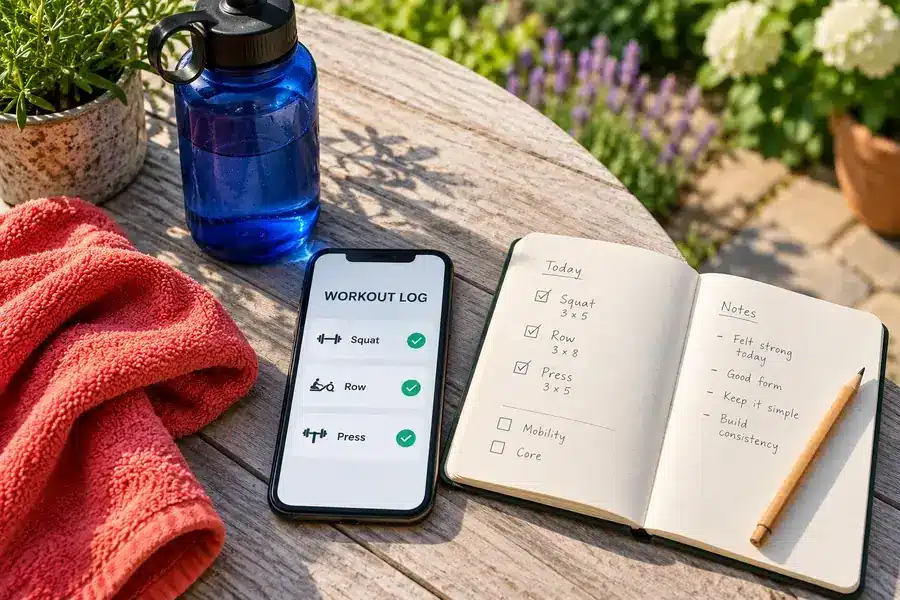
No. You can follow an appropriate routine and record workouts in a notebook or free tracker. Pay when an app solves a specific problem, such as planning, recordkeeping, or access to coaching.
If you prefer writing things down, a dedicated fitness journal is an optional alternative. Use it to record exercises, sets, reps, and weights; an ordinary notebook works too. View the hardcover fitness journal on Amazon.
Can an app tell whether I have gained muscle?
Workout records can show changes in your performance, but they do not directly measure muscle growth. My guide to tracking signs of muscle gain explains how to look beyond a single number or workout.
Is an AI workout app the same as a personal trainer?
No. It generates recommendations from software and the information you provide. A human trainer can discuss your situation and provide feedback within their scope of practice. Neither an app nor a personal trainer replaces a clinician for diagnosing or treating an injury.
Should I buy an annual subscription to save money?
Only after checking that you will use it. Compare the total annual payment with the monthly option, and try the service first where possible. A lower monthly equivalent is not a saving if you stop using the app.
Choose one app to try, not five to juggle
I would start with the problem that wastes the most time in your current routine. If you forget your weights, try a log. If you struggle to plan sessions, try a planner. If you need discussion and feedback, consider coaching.
Keep your first shortlist small, check the renewal terms, and test the ordinary training tasks before committing. The useful app is the one that fits the way you actually train.